Customer Reviews
 FAQ
FAQ Blog
Blog


Many of the commercial alarm companies such as ADT©, Slomin’s© or Comcast© will all promote the joys of having a wireless system but what they fail to tell you is the drawbacks. Technologically speaking wireless sounds high tech and the way of the future but safety wise it leaves a lot to be desired.
Wireless systems operate on battery power.
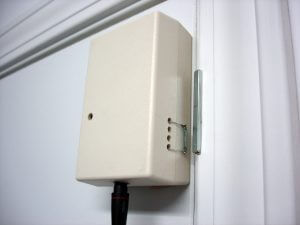 As we all know batteries run out, this will cause excess signals to the central station and may even leave you unprotected if on an extended trip. Batteries in some cameras will only record for 24 hours.
Depending on your service plan a tech visit to change batteries may cost $75 per hour or if you choose to change them yourself you would pay the cost of the particular battery for each sensor or camera plus have the hassle of having to replace them yourself.
Wireless systems connect to the monitoring station through a compatible cell phone service.
A wired system connects through the home phone line and can be outfitted with a radio backup for those homes with VoIP telephone systems. Some wireless systems come with radio back up as well but then we run back into that battery issue again.
Wireless alarm systems can only be armed with a remote device that can be misplaced or stolen.
The keypad itself is wireless which can be taken off mount or even destroyed to gain access to your property.
Key fobs are very dangerous as they do not require an access code to operate the system. So if lost or stolen anyone can use them to enter the property.
We recommend a cell phone app to access your system instead with password protection for your phone. The app will require a passcode to disarm the system, keeping what’s valuable to you safe.
Wired Systems can be outfitted with intercom systems to facilitate direct verbal contact with the central station in the event of a medical emergency. In some instances you won’t be always be able to reach your cell phone or get to a land line. The Intercom is a great option for those that have medical concerns.
Wired Systems are more cost effective.
The average installation of a wired system vs. a wireless system is significantly lower keeping you hard earned cash where you need it to be…in your wallet!
Door and Window Options
Sensors: magnets attached to the frame and window or door and when the circuit is broken it sends a signal triggering the alarm. All windows and doors must be closed to set the alarm unless that particular zone is bypassed.
Motion detectors: this option is used in lieu of a door or window contact to cover a room with several entry points and reduce the cost to the customer. Using passive infrared technology it activates when any movement occurs in the room. This option is not recommended for properties with pets over 40 lbs.
Glassbreak/shock sensors: trigger the alarm when glass is broken which send an acoustic shock wave.
Audio/Visual Alerts
Bell/Vocal Alert: Sounds whenever a protected area is accessed.
Horn: this is a loud alert to advise neighbors that there is a problem on your property
Flashing Strobe lights: these are used to alert the hearing impaired of an issue and can also be installed outside to deter an intruder.
Video Cameras, Monitors and CCTV
There are several camera types to choose from depending on the size of the protected area with such options as night vision, mobile accessibility and the ability to zoom in. A digital video recorder can also be added to store video to be accessed at a later date.
Fire / Carbon Monoxide Protection
A Smoke or Carbon Monoxide detector can be connected to the alarm system notifying the monitoring station of an issue. This is usually an extra monitoring charge but well worth it to protect your family and assets.
Panic Buttons
A panic button is normally handheld for residences or fixed for businesses and activates the alarm system even when the system is not set to alert the monitoring service of an emergency on site. Central station procedure is an immediate dispatch.
Resources and Citations:
http://www.wikihow.com/Buy-a-Home-Alarm-System